


If you're moving out of a flat, clearing a student house for summer, or putting your living room into storage while renovations drag on, the TV is usually the item that makes people hesitate. Sofas can take a knock. Dining chairs can be wrapped and stacked. A modern flat-screen can't. One awkward lift, one corner knock, or one damp unit, and an expensive screen becomes a very large problem.
That worry is reasonable. Generic moving advice often misses what UK renters and students deal with in practice. Around 40% of UK households rent, students make up 20% of Derby's and Nottingham's population, and the East Midlands has average humidity around 80%, which makes storage compatibility a real issue for electronics during term breaks and short-term moves, as noted in this UK renter and student moving context. That’s why tv packing boxes matter. They’re not just for transport. They’re the difference between a screen arriving intact and a screen sitting in a box while moisture, pressure, or poor handling ruins it.
A proper TV box gives the screen structure, corner protection, and clear handling instructions. It also gives you something standard boxes don't. Predictability. If you know the box fits, the padding is right, and the storage conditions are controlled, the whole move feels much less risky.
Protecting Your Centrepiece During a Move
A TV often becomes the last thing people pack because they’re still using it, and then it gets rushed. That’s where damage usually starts. Someone grabs the nearest spare box, wraps a blanket around the screen, tapes it up, and hopes for the best. That approach might work for a lamp. It’s a poor bet for a flat-panel display.
For renters and students in Nottingham and Derby, the pattern is familiar. End-of-tenancy dates don’t always line up cleanly with the next place. Some people need short-term storage between homes. Others need summer storage between terms. In both cases, the TV may be moved once, stored for weeks or months, then moved again. That means the packing has to cope with more than one lift and more than one journey.
Why standard boxes let TVs down
A standard cardboard carton usually fails in three places. It doesn't fit the screen tightly enough, it doesn't protect the corners properly, and it doesn't help anyone handling it understand what’s inside. TVs are wide, thin, and vulnerable at the edges. They need support that matches that shape.
Practical rule: If the box leaves the TV free to shift, the box isn’t doing its job.
That’s also why specialist handling advice matters. If you're moving a whole flat or house and want broader guidance on handling fragile items during a move, it helps to think of the TV as its own category rather than just another fragile item.
What people usually regret
A few mistakes come up again and again:
- Using a box that’s merely “close enough” and stuffing the gaps with loose bedding.
- Leaving the stand attached because it seems quicker.
- Putting the packed TV flat in the van or storage unit because it looks stable.
- Treating short-term storage as harmless even when the box will sit through a damp spell.
The reassuring part is that TV damage is often preventable. With the right tv packing boxes, proper corner protection, and sensible storage conditions, the job becomes much more straightforward.
Choosing the Right TV Packing Box
The box does most of the heavy lifting before you even touch the tape. Choose well and the rest of the process becomes manageable. Choose badly and every later step becomes a workaround.
Modern cardboard packaging has deep roots in the UK. The first commercial cardboard box was produced in England in 1817, and today’s double-walled corrugated boxes, built to British Standards such as BS 1125, can withstand 50 to 100kg of stacking load while reducing TV damage rates in moves by up to 40%, according to this history of cardboard boxes and modern TV box performance. That matters because tv packing boxes aren't just “thicker boxes”. Good ones are engineered for load, compression and impact.
Single-wall, double-wall or heavy-duty
Here’s the practical version.
| TV Screen Size (Diagonal) | Typical Box Dimensions (L x W x H) | Recommended Box Type |
|---|---|---|
| 32 to 43 inch | Slightly larger than the wrapped TV with room for corner protection | Double-wall preferred |
| 55 inch | Match the wrapped set closely with allowance for foam corners and overlap | Double-wall |
| 65 inch | Look for a telescopic box designed for large flat screens | Double-wall or heavy-duty |
| 70 to 86 inch | Use an expandable kit sized for oversized screens | Heavy-duty |
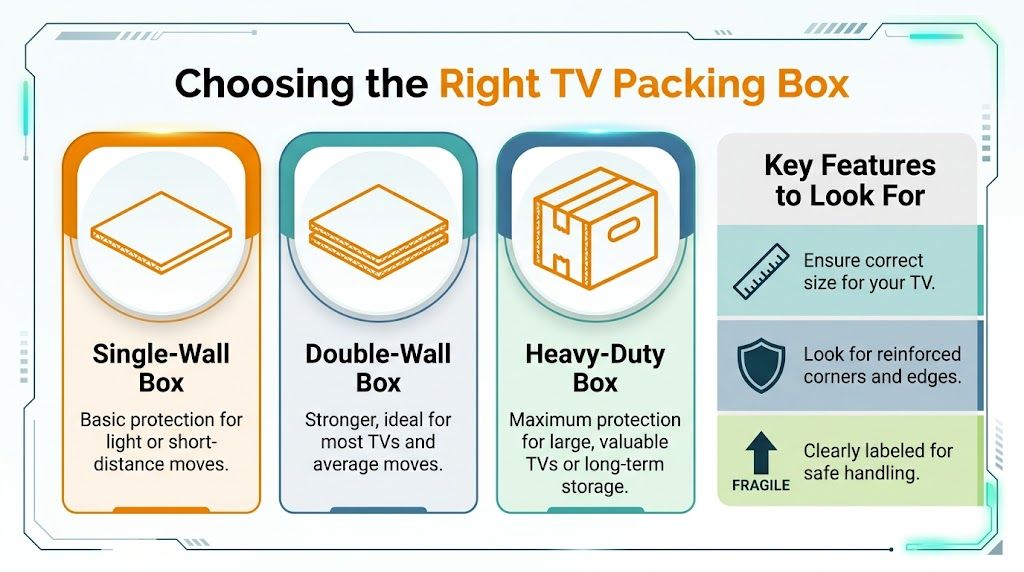
A single-wall box is the bare minimum. It may suit a light item or a very short move, but for TVs it usually creates false economy. The box can flex too much, especially when carried through stairwells, loaded into a van, or stacked near other items.
A double-wall box is the standard choice for most households. It gives enough rigidity for common screen sizes and holds its shape better when combined with foam corners and proper overlap.
A heavy-duty expandable kit is for large, valuable or awkward screens. If the TV is especially thin, especially wide, or going into longer-term storage, spending a bit more usually pays off.
What to check before buying
Don’t buy by diagonal size alone. Check the full dimensions of the set after removing the stand, then allow for wrapping and corners.
Look for these features:
- Telescopic design so the two halves overlap and create a snug fit.
- Double-wall corrugated board rather than basic carton board.
- Foam corner pieces included or easy to source separately.
- Clear room for upright labelling so handlers know which way the screen should travel.
A TV box should fit like packaging, not like luggage. You want support, not spare room.
When bigger screens need more than a basic box
Once you get into oversized screens, the decision changes. For 70 to 86 inch screens, professional kits rated to 120lbs and compliant with ISTA 3A standards achieve a 96.2% intact delivery rate and are designed to withstand vibration simulating M1 motorway haulage, according to this guide to heavy-duty TV packing kits. For a business display, office boardroom screen, or very large home TV, that sort of kit is worth considering.
How to Prepare Your TV Before Packing
Packing starts before the TV goes anywhere near a box. Good preparation prevents scratches, avoids lost accessories, and makes setup far easier when the move is over.
Clear the area and strip the TV down
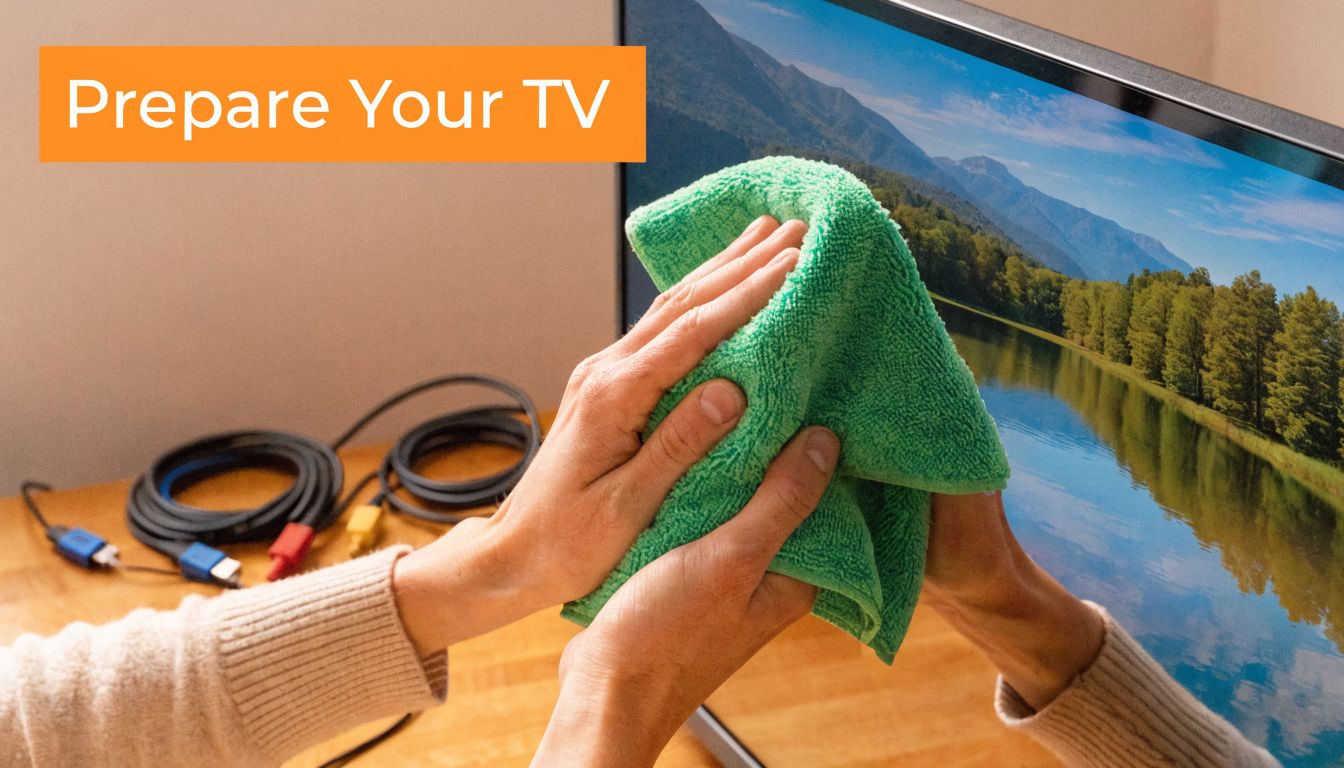
Put the TV somewhere stable with enough room to work around all sides. If it’s wall-mounted, take it down carefully and keep one person supporting the screen while the other disconnects it. Remove the stand or wall bracket attachments before you start wrapping. A stand left attached creates pressure points and makes the set harder to fit properly.
Use a soft microfiber cloth to remove dust from the screen and frame. Dust seems harmless, but when trapped under wrapping it can rub against the finish.
Keep cables organised from the start
A few minutes spent here saves a lot of annoyance later.
- Take a photo of the rear connections before unplugging anything.
- Bag cables separately instead of bundling everything into one knot.
- Label remotes and power leads so they don't disappear into a general accessories box.
- Keep screws with the stand or bracket in a small sealed bag.
If your setup is already full of hidden leads, soundbar cables and console wires, a guide on how to hide TV wires and cables can also help when it’s time to rebuild the space properly at the other end.
Prepare the surface protection
Don’t put tape directly on the TV. Don’t let bubble wrap sit roughly against the screen without a softer layer first. A foam sheet, screen sleeve, or clean moving blanket between the display and the outer wrapping is the safer choice.
Clean first, disconnect second, bag accessories third. In practice, that order stops most reassembly headaches.
Once the TV is clean, stripped down and organised, the actual packing becomes much less stressful.
A Step-by-Step Guide to Packing Your TV
This is the point where method matters. Done properly, the packed TV feels solid, balanced and easy to handle. Done badly, it feels loose, overstuffed or vulnerable at the corners.
Professional movers in the UK achieve a 98.7% damage-free arrival rate for TVs by using double-wall boxes with 4 to 5 inches of overlap, heavy-duty tape in an H-pattern, and foam corner protectors. Using generic boxes drops the success rate to 72%, according to this UK TV packing performance guidance. Those numbers line up with what experienced movers already know. The details matter.
Pack the screen in the right order
Use this sequence:
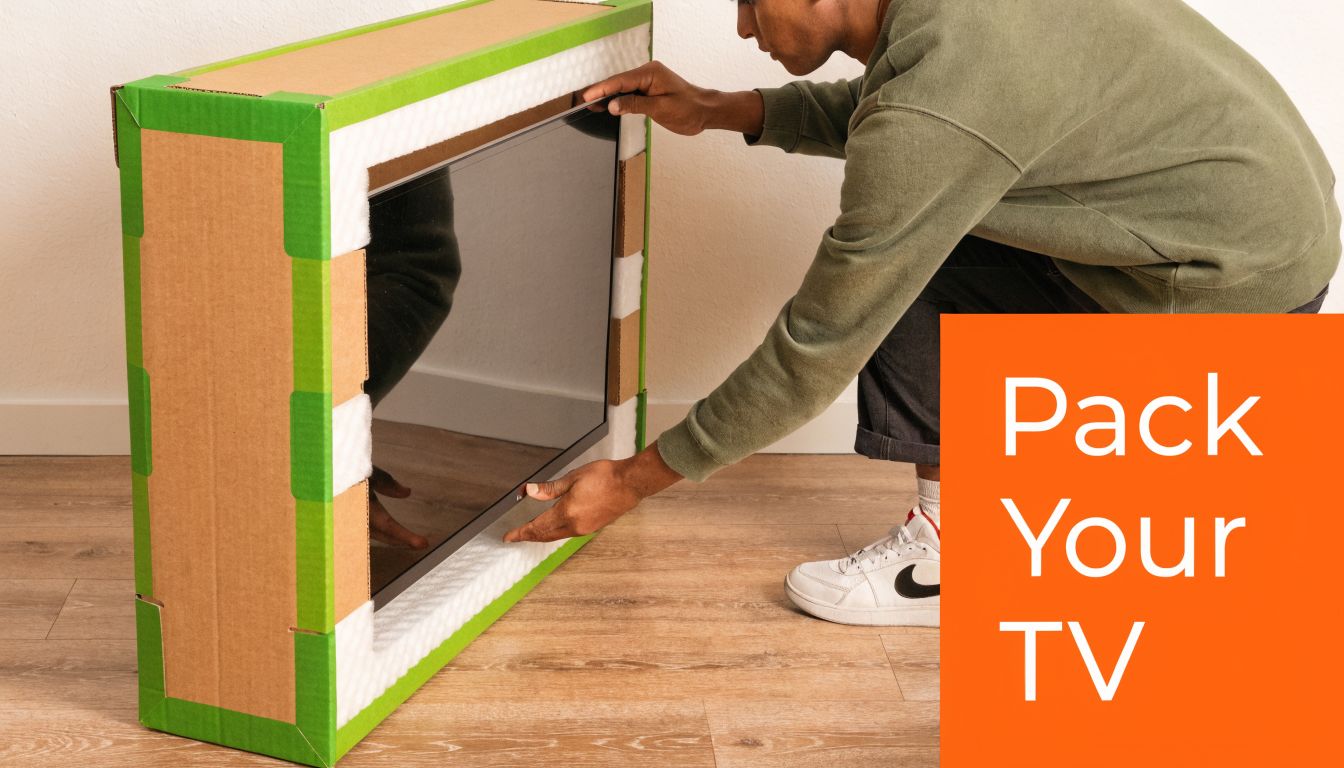
- Wrap the screen first with a soft protective layer such as a foam sheet or clean blanket.
- Fit foam corner protectors to all four corners before the TV goes near the box.
- Lower the TV into the first box half carefully, keeping it upright and centred.
- Slide the second half over the top so the box telescopes around the set.
- Create the proper overlap. The box halves should overlap by 4 to 5 inches for stability.
- Tape in an H-pattern across the top and bottom seams with heavy-duty packing tape.
- Label the box clearly with “Fragile” and “This Way Up”.
Why each step matters
The soft wrap protects the finish. The foam corners absorb impact where screens usually crack. The overlap stops the box from flexing open or twisting during lifting. The H-pattern strengthens the weak points where flaps and seams meet.
What doesn’t work is improvising halfway through. A missing corner protector gets replaced with scrunched paper. The overlap ends up too shallow. The tape runs around the middle only. Those are the small shortcuts that tend to show up later as cracked panels or pressure damage.
Check the packed box before moving it
Lift the box gently from the bottom. It should feel secure, not bowing or shifting. If the TV moves inside, reopen it and correct the fit. If the box looks swollen because too much padding has been forced in, reduce the bulk and let the structure of the box do the work.
For broader house-moving prep, practical packing advice from Orange Box Self Storage moving house tips is useful alongside the TV-specific method above.
If the finished box wobbles, crushes inward at the sides, or rattles when lifted, don’t load it. Repack it.
Transporting and Storing Your Packed TV Safely
A well-packed TV can still be damaged in the van or in storage if it’s handled carelessly. Packing protects the screen. Positioning protects the investment.

Keep it upright from door to unit
This is the rule people ignore because laying the box flat looks easier. It isn’t safer.
Keep the TV upright the whole time. In the house, in the van, and in storage.
An upright position reduces stress on the panel and makes the box easier to brace against stable items. In a moving vehicle, place the packed TV so it can’t slide, and don't let heavier furniture lean into the screen side.
Place it properly inside storage
Where you put the TV inside the unit matters almost as much as how you packed it. Stand it upright against a stable interior position where it won’t be knocked during access. Keep it off the floor if possible using suitable separation from direct ground contact, and don’t bury it behind unstable stacks that have to be shifted every time you visit.
Climate conditions also matter for electronics. Moisture and temperature swings are hard on screens, adhesives and internal components. If you’re storing a TV for any meaningful period, especially over a holiday break or during a delayed house move, a climate-protected storage unit for electronics is the safer option.
Large commercial screens need stricter handling
For larger business displays and oversized screens, transport stress becomes a bigger factor. The heavier and wider the panel, the less forgiving it is during loading, unloading and storage rotation. That’s where heavy-duty kits and proper vehicle restraint make a noticeable difference.
The basic principle stays the same. Don’t let the packed TV twist, don’t let weight bear onto it, and don’t store it in a damp environment.
Sourcing Your Supplies and Final Checks
Tv packing boxes can be sourced from removal supply companies, specialist packaging retailers, online marketplaces, or local storage providers that stock moving materials. The key isn’t where you buy. It’s whether the box matches the TV, includes proper corner protection, and is strong enough for the full journey and storage period.
Before you load the TV, run through a final check:
- Box fit. The set is snug, not squeezed and not loose.
- Corners protected. All four are covered.
- Stand removed. Nothing protrudes or creates pressure.
- Accessories bagged. Cables, remote and screws are labelled.
- Upright labels visible. Anyone lifting it can see how it should travel.
- Storage conditions sorted. The TV won't sit in a damp or unstable space.
A couple of common questions come up at this point.
Can you reuse the original TV box? Yes, if it’s clean, structurally sound, and still has the proper inserts. If the box is crushed, damp, torn or missing internal support, replace it.
Is bubble wrap safe directly on the screen? It’s better to place a softer barrier against the screen first, then use outer protective layers around that.
Should the TV go into storage flat to save space? No. Keep it upright.
If you’re storing a valuable screen alongside other household items, it’s also worth reading about contents insurance for stored belongings so there are no surprises if something goes wrong.
If you need secure, flexible space for a house move, student break, renovation, or business stock, Orange Box Self Storage offers storage across Nottingham, Derby, Long Eaton and Beeston, with options for personal, student, business and container storage. If you’re unsure what size unit you need or how best to protect a TV and other electronics, the team can help you choose practical storage that fits the way you’re moving.