

By the time many small businesses decide they need a proper archive, the problem is already visible. Lever arch files are stacked in the meeting room, payroll folders are squeezed into a cupboard, and somebody in the office is saying, “I know it's here somewhere.” That's usually followed by a scramble before an audit, a client request, or a staff issue.
The harder part isn't storing paper. It's storing it in a way that keeps the business compliant, accessible, and sane to run. For UK SMEs, business document storage has become a practical decision about cost, space, security, and retention. Recent changes around data protection have made that decision more urgent, especially for firms running a mixed paper and digital setup.
Most owners don't need a grand records management programme. They need a system that answers four questions clearly. What must be kept, where should it live, who can get to it, and what is it really costing? For businesses that are still working through digitizing business records with Receipt Router, a sensible physical archive can act as the bridge between today's paper burden and a cleaner digital workflow.
The Growing Problem of Business Paperwork
A growing business rarely notices its archive building up day by day. One new client file goes in a drawer. Old invoices move into a cupboard. HR paperwork gets boxed after a staff change. Then one quarter ends, another tax year closes, and suddenly valuable office space is being used to store paper nobody wants near the coffee machine.
That clutter creates three problems at once. First, it wastes space that could be used for desks, stock, or operations. Second, it slows staff down because documents are harder to find. Third, it increases risk because papers with financial or personal data often end up stored in ad hoc places with weak controls.
What the mess usually looks like
In smaller firms, the archive often lives in borrowed space rather than planned space. It might be:
- A back office cupboard filled with mixed files from several years
- An unused meeting room corner stacked with archive boxes and no index
- A loft, garage, or container that was never intended for records
- A shared drive plus paper original setup where nobody is sure which version is authoritative
None of those arrangements hold up well under pressure. If HMRC asks for supporting records, if a former employee query lands on someone's desk, or if a customer wants older paperwork quickly, the business finds out whether its archive is a system or just a pile.
Businesses usually don't suffer from having too many documents. They suffer from storing them without a retrieval plan.
Why this becomes a strategic issue
Once paperwork starts affecting floor space, response times, and compliance confidence, it stops being an admin annoyance. It becomes an operational drag. Business document storage done properly gives the business breathing room. Staff know what to keep, what to archive, and where to go when they need something quickly.
The best systems are rarely complicated. They are consistent. A clear retention rule, a clean labelling method, a secure storage location, and limited access rights solve more problems than most SMEs expect.
Why Document Retention Rules Matter for UK Businesses
Retention rules matter because not every document should be kept forever, and not every document can be destroyed when the office feels crowded. Financial, employment, legal, and customer records all carry different obligations. If you keep records too loosely, you struggle to respond to audits and disputes. If you keep them carelessly, you create unnecessary data protection risk.
For many SMEs, the practical starting point is simple. Build your archive around the records you're legally required to keep, then set review dates for everything else. If you need a plain-English starting point, this guide on how long to keep business records is useful for shaping a retention schedule around real business paperwork.
What to keep and why
Some categories nearly always need formal retention treatment:
-
Financial records
Accounting records, invoices, receipts, VAT-related paperwork, payroll support, and year-end documentation usually sit at the centre of retention planning. These records support tax reporting, year-end accounts, and audit queries. -
Company records
Statutory books, director records, shareholder records, and formal governance documents need organised storage because they support legal and corporate obligations. -
Employment records
Staff files, payroll information, disciplinary records, and health-related documentation need tighter access control because they often include sensitive personal data. -
Contracts and legal documents
Signed agreements, lease paperwork, insurance documents, and dispute-related records should never be left in mixed archive boxes without indexing.
Why secure storage now matters more
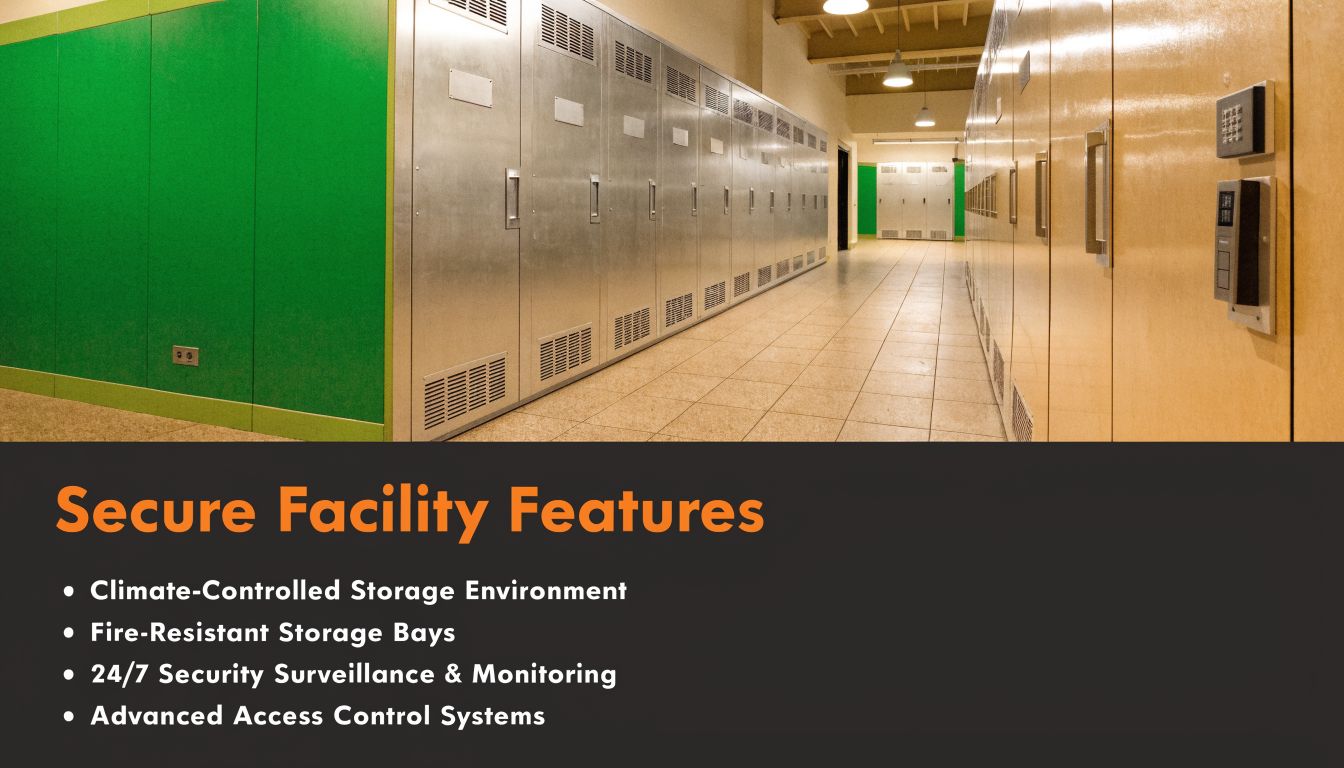
Recent amendments to the UK Data Protection Act have increased attention on hybrid paper and digital recordkeeping after a 25% increase in business data breaches involving hybrid paper-digital records, and climate-controlled self-storage can reduce paper degradation risks by 60% compared with typical office environments while helping SMEs meet 7-year retention rules without immediate full digitisation. That's set out in the verified brief provided for this article.
The lesson is practical. If a business keeps paper because originals still matter, that paper needs protection from both unauthorised access and environmental damage. A folder on a shelf in a warm office might feel harmless, but over time it becomes a weak point.
Practical rule: Keep documents for a defined business and legal reason, store them securely for that period, then destroy them in a controlled way when the retention window ends.
How to apply retention rules without overcomplicating them
A workable SME retention policy usually includes:
- A document list that names each record type your business creates
- A retention period linked to business or legal need
- A storage location for paper originals, digital copies, or both
- An owner responsible for review and disposal
- A destruction method for records that have reached the end of life
What causes trouble isn't usually the law itself. It's inconsistency. One manager keeps everything, another bins too much, and a third stores boxes with no dates on them. A retention policy fixes that by turning instinct into process.
Physical vs Digital Storage Finding Your Balance
There's no single correct format for every business record. Some documents are easier to store and search digitally. Others are still better kept physically, especially when the original paper carries practical or legal weight. Most SMEs do best with a hybrid model, but only if they're clear about what lives where.
Where physical storage still wins
Paper still has strengths. Signed originals, older files, annotated documents, deeds, and legacy records can be easier to preserve physically than to scan, verify, and manage properly. For businesses with low retrieval frequency, physical archive storage is often the simpler option.
Physical storage also works well when:
- Original documents matter for evidential or operational reasons
- Scanning backlogs exist and the business needs an interim solution
- Staff work from one base and occasional retrieval is manageable
- The archive is old but must still be retained
The downside is obvious. Paper takes space, can be damaged, and becomes difficult to search if boxes aren't labelled with discipline. A room full of files isn't an archive system unless someone can find a specific document quickly.
Where digital storage earns its keep
Digital systems are better for active records. They support searching, controlled access, version history, and easier sharing across teams. They're especially useful when multiple people need the same files, or when audit requests require quick retrieval across a large document set.
A sensible digital setup usually includes:
- Consistent naming conventions
- Metadata or folder rules that match how the business works
- Role-based access
- Backups and recovery procedures
- Retention controls so old files don't linger forever
What doesn't work is half-digitising. Businesses often scan a batch of paperwork, dump it into broad folders, and assume the problem is solved. It isn't. A badly structured digital archive is just a virtual version of a messy filing cabinet.
A poor digital archive hides documents in clicks. A poor physical archive hides them in boxes. Both fail for the same reason. Nobody designed retrieval first.
Why the hybrid model suits many SMEs
A hybrid archive is often the most practical answer because it separates active access from long-term retention. The business digitises the records that need regular use and stores lower-activity paper securely off-site. That reduces pressure on office space without forcing an expensive scan-everything project.
A strong hybrid approach usually looks like this:
| Storage need | Best fit |
|---|---|
| Daily operational files | Digital |
| Signed originals and legacy records | Physical |
| Compliance-sensitive archive | Physical with index, plus digital register |
| Frequently requested records | Digital first, paper backup where needed |
The mistake to avoid is duplication without control. If paper and digital versions both exist, decide which one is the master record. Otherwise staff will rely on whichever copy they find first, and disputes follow.
Key Features of a Secure Document Storage Facility
If you're trusting a third party with business records, security features aren't extras. They're the baseline. Many SMEs focus on price and location first, then ask about protection later. That order should be reversed. A cheap unit that exposes records to damage, weak access control, or poor handling can become expensive very quickly.
Security features that should be non-negotiable
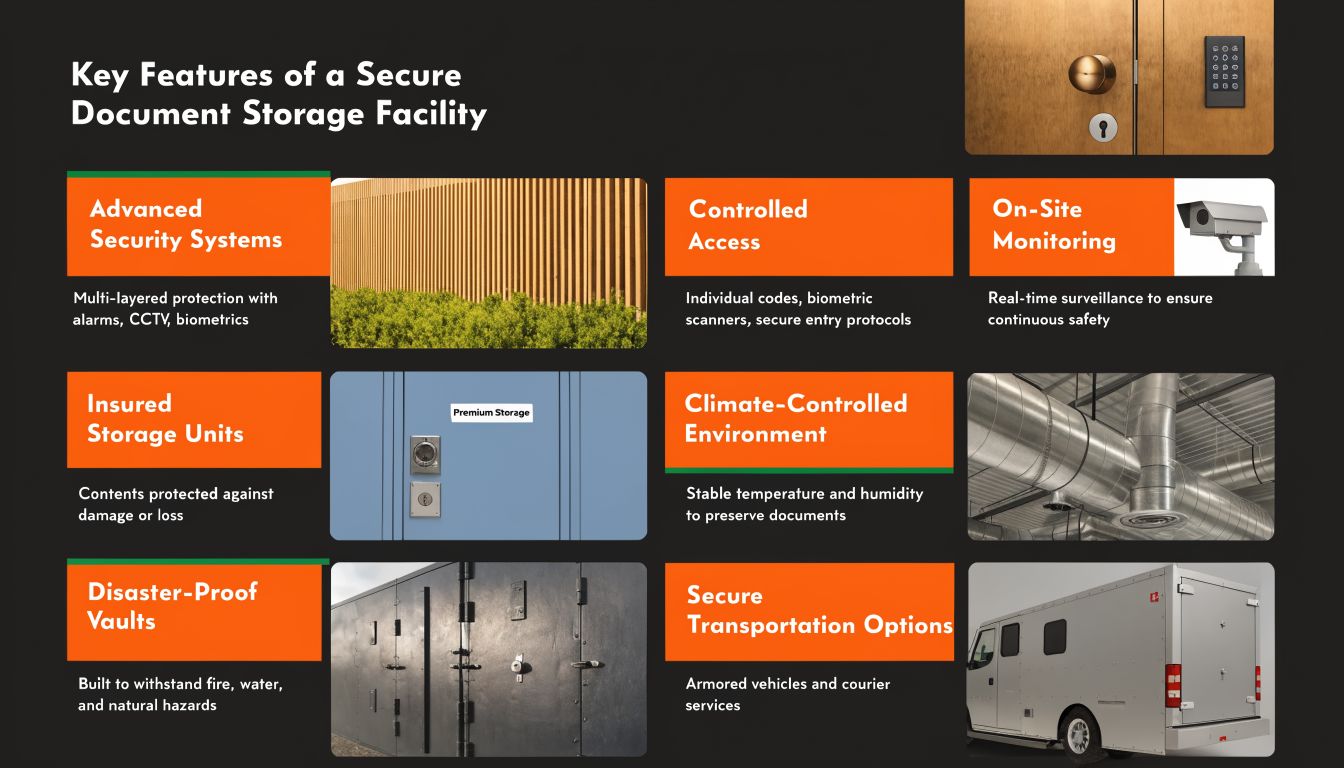
Start with the basics of physical protection:
- Controlled site access so not everyone can walk into archive areas
- CCTV coverage across entry points and movement routes
- Well-maintained units that are clean, dry, and professionally run
- Clear responsibility for access, keyholding, and site procedures
Then look at environmental protection. For records, climate matters. If paper sits in damp, fluctuating, or poorly ventilated conditions, it warps, sticks, fades, and degrades. Businesses often underestimate this until they open a box years later and realise the contents are brittle or marked.
For firms reviewing options such as climate-controlled storage units, the point isn't comfort. It's preservation. Stable conditions help protect contracts, payroll records, personnel files, and archived accounts from avoidable deterioration.
Standards and controls worth asking about
A secure provider should also show discipline around information handling. According to Sealpath's review of secure business document storage systems, UK organisations certified to ISO 27001 experience 30% fewer data breach incidents, 43% of UK SME breaches involve misconfigured file permissions, and multi-factor authentication can block 99.9% of account compromise attacks. Those figures relate strongly to hybrid archives because paper and digital controls should reinforce each other, not operate separately.
That doesn't mean every self-storage operator is a records consultancy. It means you should ask sensible questions:
- Who can access the site and how is that controlled?
- How are units protected from damp, heat swings, and pests?
- What happens if authorised staff change or leave the business?
- Is there a documented process for managing keys, codes, and access permissions?
If a storage provider can't explain access control plainly, don't hand them documents containing payroll, contracts, or personal data.
What good looks like in practice
Good business document storage feels boring in the best possible way. The site is predictable, entry is controlled, the unit is dry and stable, and retrieval happens without drama. That's what you want. Records storage should never rely on luck, memory, or a caretaker's goodwill.
Organising Your Archive for Fast and Easy Retrieval
Businesses lose time long before a file is officially “lost”. They lose it when boxes are packed by whoever had ten spare minutes on a Friday afternoon. Good retrieval starts at packing stage. If the archive goes into storage badly, no facility can save you from the chaos inside the box.
Pack the archive like a system, not a clear-out
Use uniform archive boxes wherever possible. Mixed box sizes make stacking unstable and create awkward dead space. Significantly, they encourage random packing.
A practical archive packing routine looks like this:
-
Sort before boxing
Separate records by type first. Finance, HR, contracts, operations, and client files shouldn't live in the same container. -
Apply a retention date
Mark each box with the relevant date range and destruction review date if one exists. -
Assign a unique box code
Simple codes work best, such as FIN-2023-01 or HR-EMP-04. -
Create a master index
A spreadsheet is enough for many SMEs. Record the box code, contents summary, date range, owner, and storage location. -
Seal and label clearly
Labels should be visible when boxes are stacked. Don't rely on handwriting so small that nobody can read it later.
Arrange the unit for retrieval, not maximum compression
Many people pack storage units too tightly. That saves a little floor space and creates ongoing inconvenience. If staff can't reach the right box without unloading half the unit, retrieval becomes a mini-removal job.
Use this layout logic instead:
- Leave a central access path so someone can reach key rows safely
- Put frequent-access boxes near the front
- Store by category zone such as accounts on one side, HR on another
- Keep heavier boxes low to protect both staff and documents
- Avoid overfilling boxes because papers bend and edges get damaged
Packing advice: If you need a step ladder, two people, and twenty minutes to reach one file box, the archive has been packed for storage volume rather than business use.
A simple indexing model that works
A strong indexing system doesn't need specialist software. It needs consistency. For most SMEs, one of these structures works well:
| Archive type | Recommended primary index |
|---|---|
| Accounts and tax | Financial year |
| HR records | Employee surname or employee ID |
| Contracts | Client or supplier name |
| Project files | Project code or completion year |
If the business also keeps digital references, add the digital folder path or scan reference to the index. That way staff can tell quickly whether they need the paper original or whether a searchable digital version already exists.
The businesses that retrieve records smoothly usually do one thing better than everyone else. They decide the filing logic once, then stick to it.
Streamlining Document Access and Retrieval
Storage only works if the business can get documents back quickly and without confusion. That sounds obvious, but many SMEs treat retrieval as an afterthought. They spend time choosing boxes and labels, then leave access rules informal. The result is predictable. Files go out, come back late, get refiled in the wrong place, or vanish into someone's boot for three weeks.
According to Kraft Business's overview of document storage solutions, UK firms using centralised document management systems with proper indexing can achieve up to 40% faster retrieval times during audits, while businesses with fragmented folder structures report wasting over 20 hours per week searching for documents. The point applies just as much to a physical archive as it does to digital records. Retrieval speed comes from structure, not wishful thinking.
Build a formal access routine
A small business doesn't need a records department. It does need a repeatable process. Keep it tight:
- Nominate authorised users who can request or remove archived files
- Use a check-out log for any box or file that leaves storage
- Record return dates so missing files are noticed early
- Require re-filing discipline rather than letting staff “put it back later”
That simple routine prevents a common archive failure. A document is technically still in the business, but nobody knows who last had it.
Match the process to the urgency
Not every retrieval is equal. Some are routine. Others are time-sensitive and high risk. Treat them differently.
| Retrieval type | Best response |
|---|---|
| Routine admin request | Pull from indexed archive on next scheduled visit |
| Audit or compliance request | Use indexed list first, then retrieve only relevant boxes |
| Legal or HR issue | Restrict access to named staff and log every movement |
If you're tightening procedures before a review or inspection, Document management for audit readiness is a useful companion read because it focuses on access discipline rather than just storage space.
Fast retrieval isn't about moving quicker through a room. It's about removing the guesswork before anyone opens a box.
Businesses often chase efficiency in software while ignoring retrieval habits on the ground. In practice, a well-indexed physical archive with a check-out process can outperform a sloppy shared drive and a chaotic filing cupboard combined.
Comparing Document Storage Costs In-House vs Outsourced
Many SMEs rethink their assumptions. They assume keeping records in-house is cheaper because the cabinets already exist and the boxes are already there. But “already there” isn't the same as low-cost. Office space has a cost. Staff time has a cost. Poor retrieval has a cost. So does clutter that forces the business to use premium workspace as a paper warehouse.
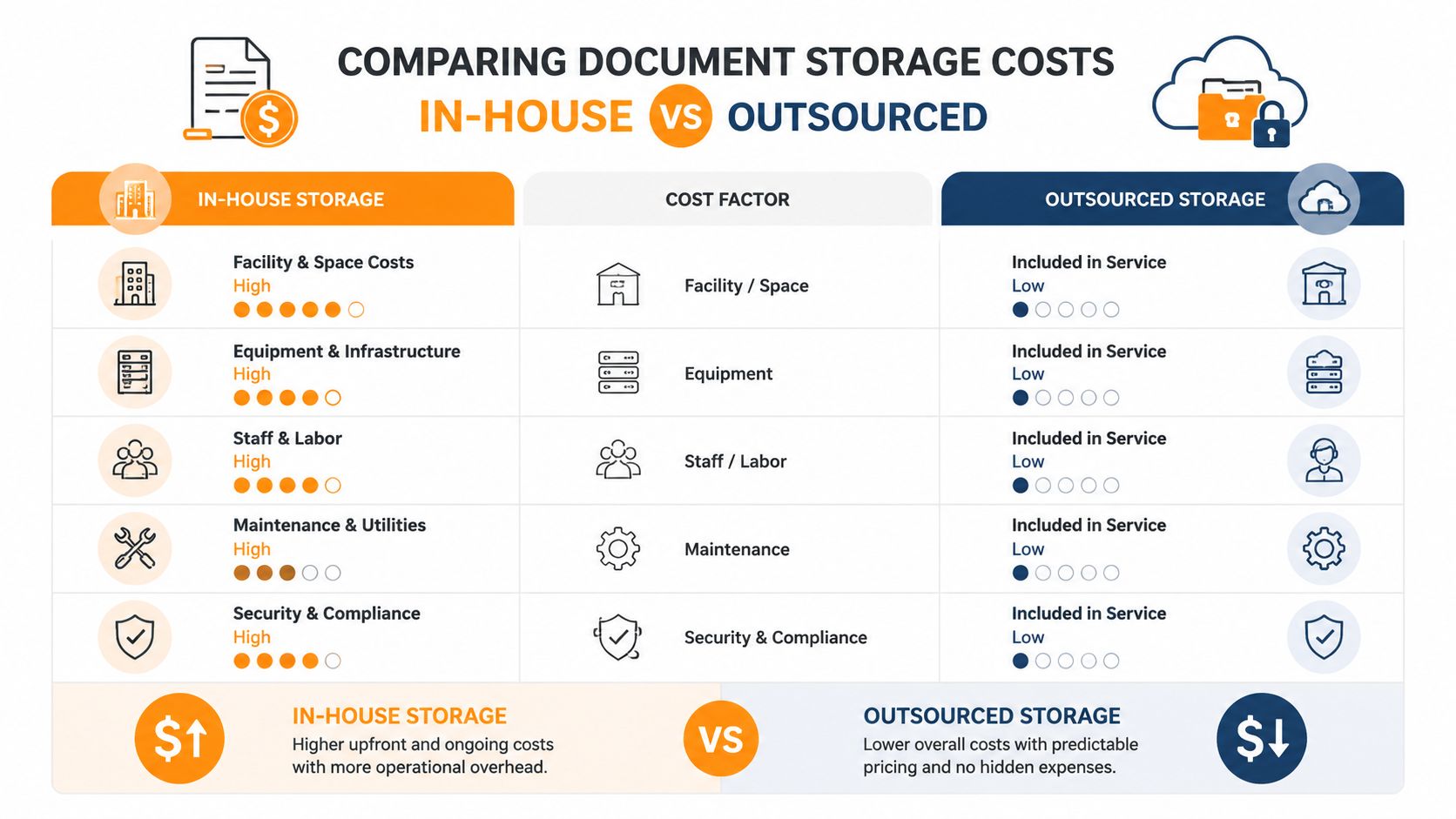
The figures worth paying attention to are clear. A 2025 analysis shows UK SMEs spend £1,200 to £2,500 annually on in-house filing space, while self-storage can offer up to 40% savings, with units suitable for 1,000+ archive boxes costing £25 to £45 per week. Commercial records centres typically charge £0.50 to £1.20 per box per month plus retrieval fees of £20 to £50 per order. Those verified figures were supplied in the brief for this article.
For businesses comparing local options, a guide to self-storage unit cost can help translate square footage and weekly pricing into a realistic archive budget.
Where each model works and where it doesn't
In-house storage works when the archive is tiny, low risk, and rarely grows. It stops working when filing begins to consume productive office space or when confidential records sit in cabinets that are not secured.
Commercial records centres suit firms that want outsourced handling and can tolerate retrieval charges and more rigid access processes. They're often less attractive for SMEs that need flexibility and occasional same-day access without extra fees stacking up.
Self-storage tends to sit in the middle. It gives the business direct control over its archive, predictable unit pricing, and room to scale without turning the office into dead storage.
Document Storage Cost Comparison for UK SMEs
| Factor | In-House Storage | Commercial Records Centre | Self-Storage (e.g., Orange Box Self Storage) |
|---|---|---|---|
| Space cost | Uses office space that could serve staff or operations | Charged per box each month | Fixed unit price |
| Access | Immediate, but often disorganised | Managed retrieval, often with request process | Direct business access |
| Flexibility | Low once cupboards and rooms fill up | Moderate, but fees can rise with retrievals | High, especially for growing archives |
| Cost profile | £1,200 to £2,500 annually for UK SME filing space | £0.50 to £1.20 per box per month plus £20 to £50 per retrieval order | Units for 1,000+ archive boxes at £25 to £45 per week, with up to 40% savings versus in-house |
| Best fit | Very small archives | Highly outsourced records handling | SMEs needing control, value, and room to grow |
The hidden cost most owners miss
The mistake isn't just paying too much for storage. It's paying for the wrong type of storage. If a team needs regular access, per-order retrieval fees can become irritating fast. If office rent is effectively being spent on archive boxes, in-house storage isn't really cheap. And if records are dispersed between cupboards, spare desks, and a garage, the business is paying in staff time every single week.
For most growing SMEs, the best value sits with the option that keeps fixed costs understandable and access straightforward.
The Smart Solution for Your Business Archives
The right business document storage setup isn't the one with the most features. It's the one that keeps records secure, retrievable, and proportionate to the way your business operates. For many UK SMEs, that means keeping active documents digital where practical, storing retained paper properly, and avoiding premium office space being swallowed by old files.
If you're also planning a wider move away from legacy folders and fragmented archives, these enterprise file server migration best practices are a sensible next read. They help when the archive problem is bigger than paper alone.
If your business needs a secure, flexible place to store archive boxes, contracts, payroll records, or long-term paperwork, Orange Box Self Storage offers practical business storage across Nottingham, Derby, Long Eaton and Beeston. With protected facilities, flexible terms, and unit sizes suited to everything from a few archive boxes to larger business stock, it's a straightforward way to free up office space without losing control of your records.